Manage work time and
well-being.
Equally.

Time Being tracks work hours and mental health
side by side to
uncover well-being trends
and flag burnout early.

Try Pro for free

No credit card required

Request demo

Track the work. Protect the person behind it.

Managing time

Time Well Spent.

  • Smart Time Entry

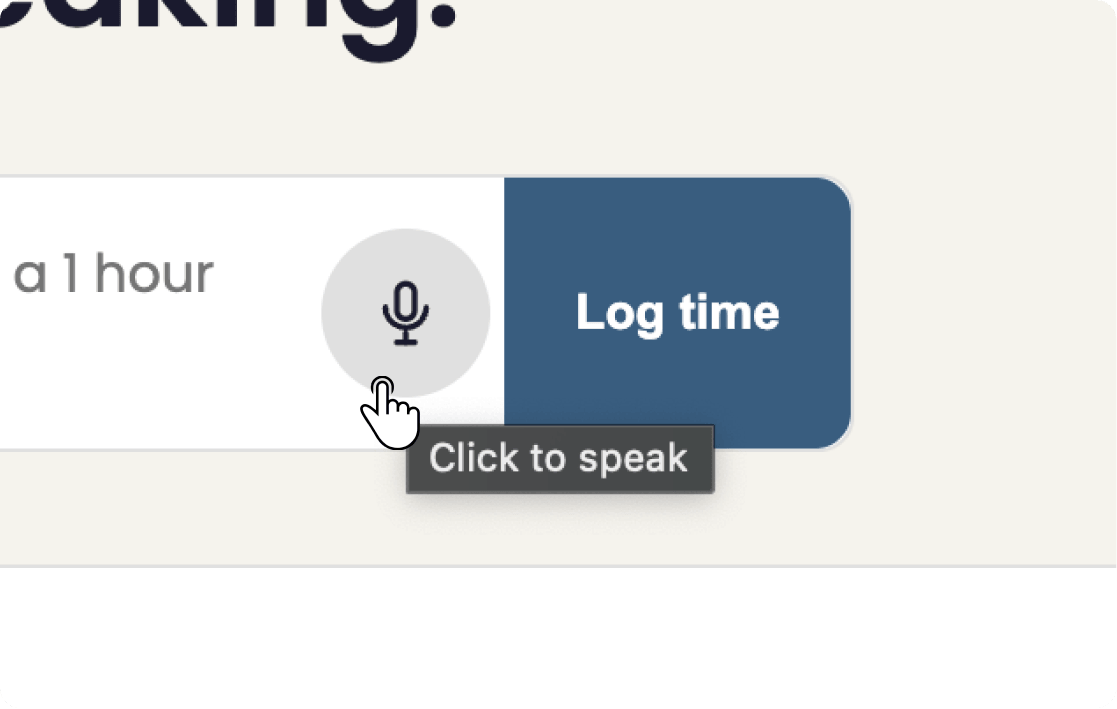
    Voice-powered and AI-assisted time entry makes logging effortless, allowing you to focus more on doing the work than keeping up with it.

    Time Being's AI-assisted time-entry interface, parsing a natural-language sentence into project, task, and hours.
  • Stop Stopping!

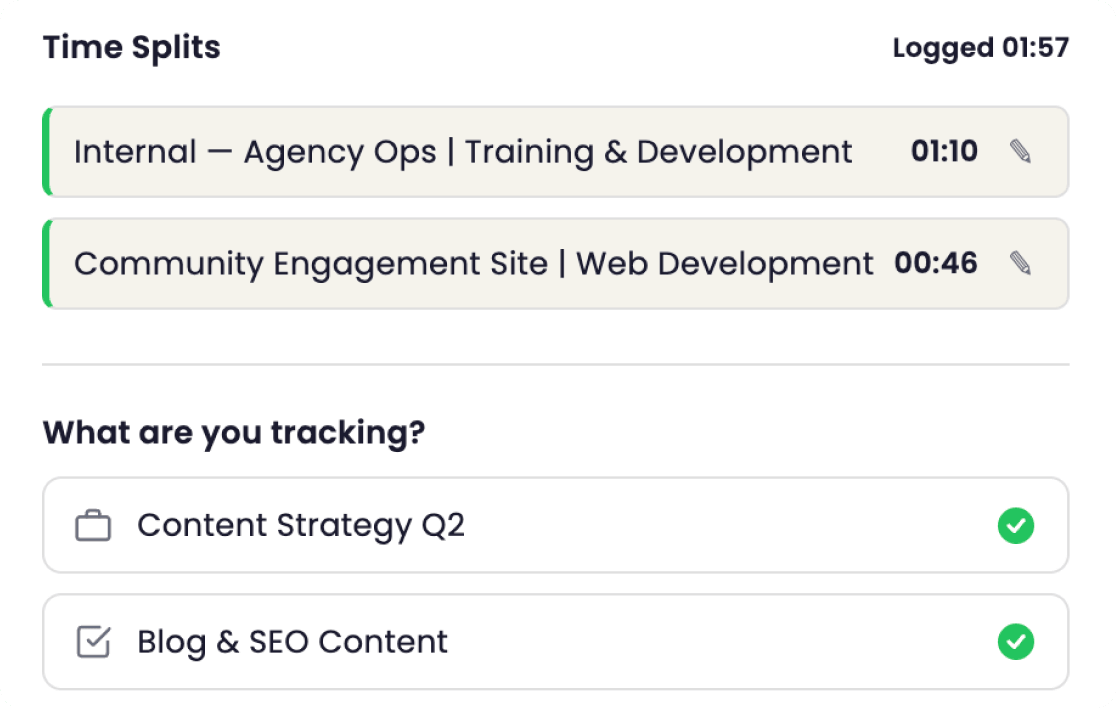
    TimeSplit™ lets you switch between tasks without stopping your timer. You know, the way work actually happens in real life.

    TimeSplit timer running with two task splits stacked beneath, showing how Time Being captures task switches without losing time.
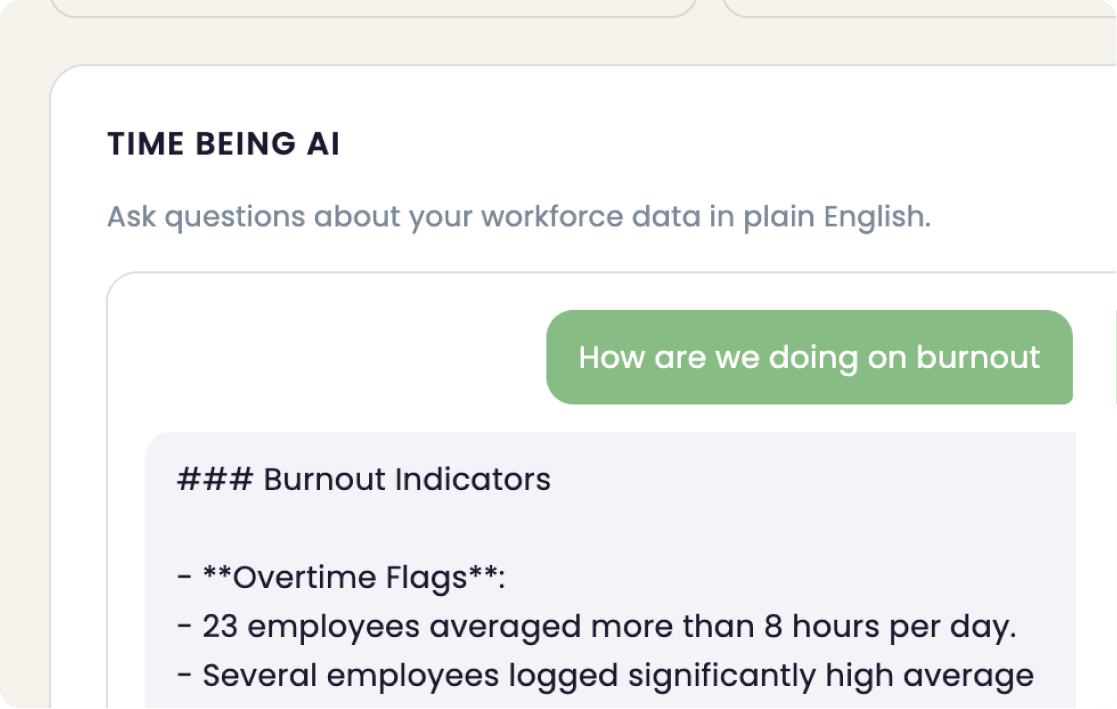
  • Just ask. Get answers.

    “How are we doing on burnout?” or “Which teams are overworked?” Natural-language reporting puts every insight one question away.

    A Time Being report visualizing hours by project and team, with well-being signals layered on the same chart.
  • Time Entry, Your Way

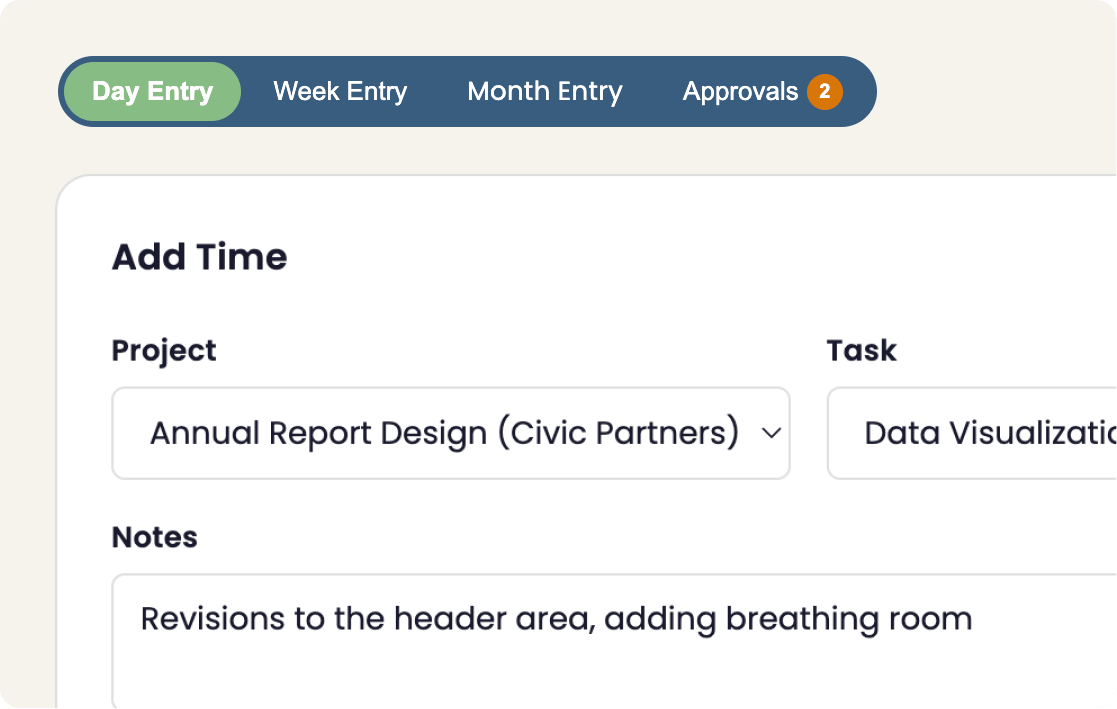
    Timers? ✔️ Daily view? ✔️ Weekly view? ✔️ It’s your time; keep up with it your way.

    Three Time Being entry modes side by side: stopwatch timer, daily grid, and weekly summary view.
Managing well-being

Well-Being, Built In.

  • Don’t Get Burned (Out)

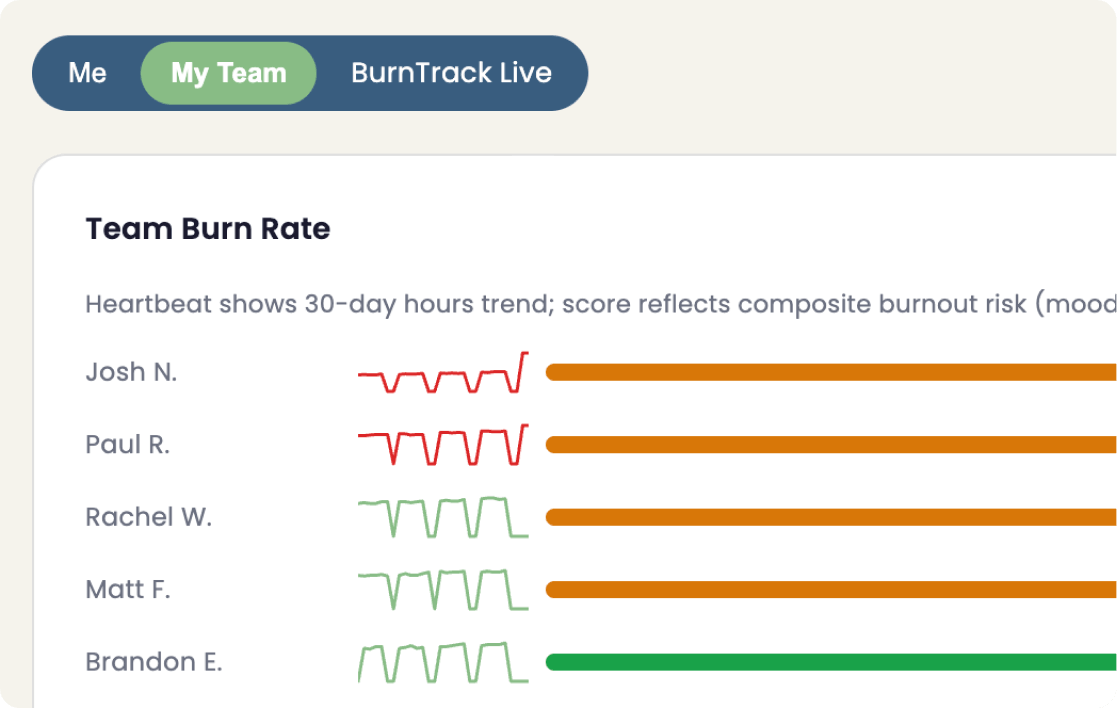
    BurnTrack™ is constantly monitoring burnout patterns and WellScore™ gives individuals and managers early signals of overwork or stress.

    A BurnTrack alert in Time Being showing a team member trending toward burnout, with the contributing signals listed.
  • Rise Above the Noise

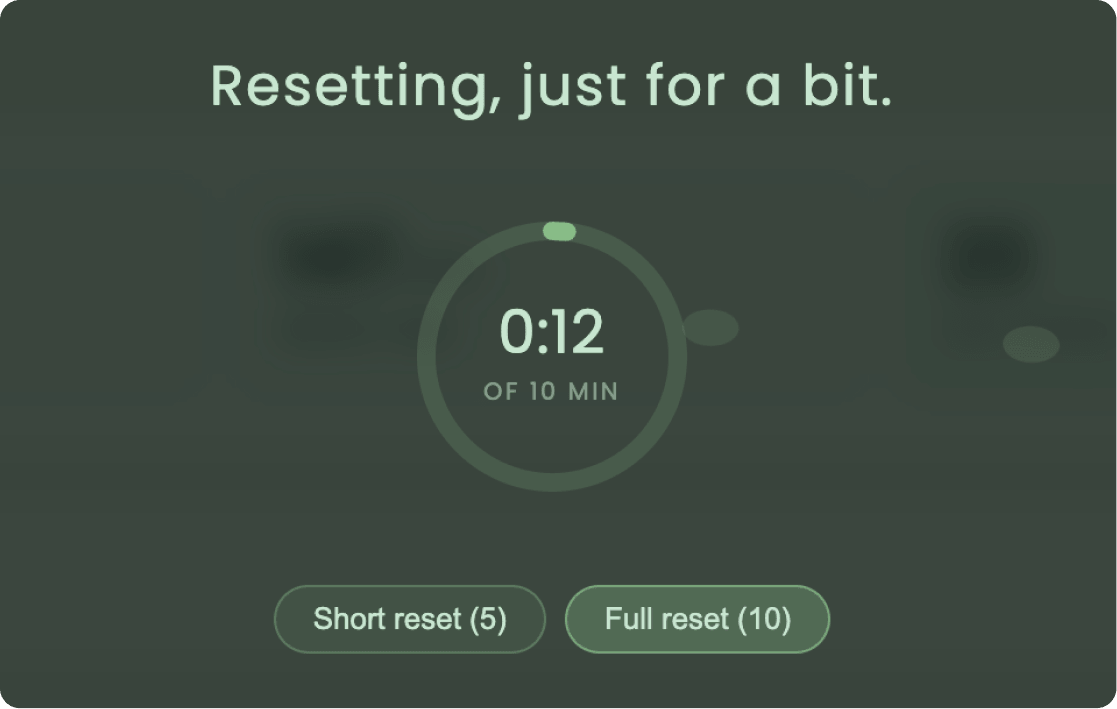
    Enter Well-Being Mode, enjoy a calm breeze, and take a few deep breaths while the system protects you from distractions or guilt.

    Well-Being Mode activated in Time Being, with a serene visual indicator and a privacy-first 'someone is taking a moment' team signal.
  • Smart Nudges, Right on Time

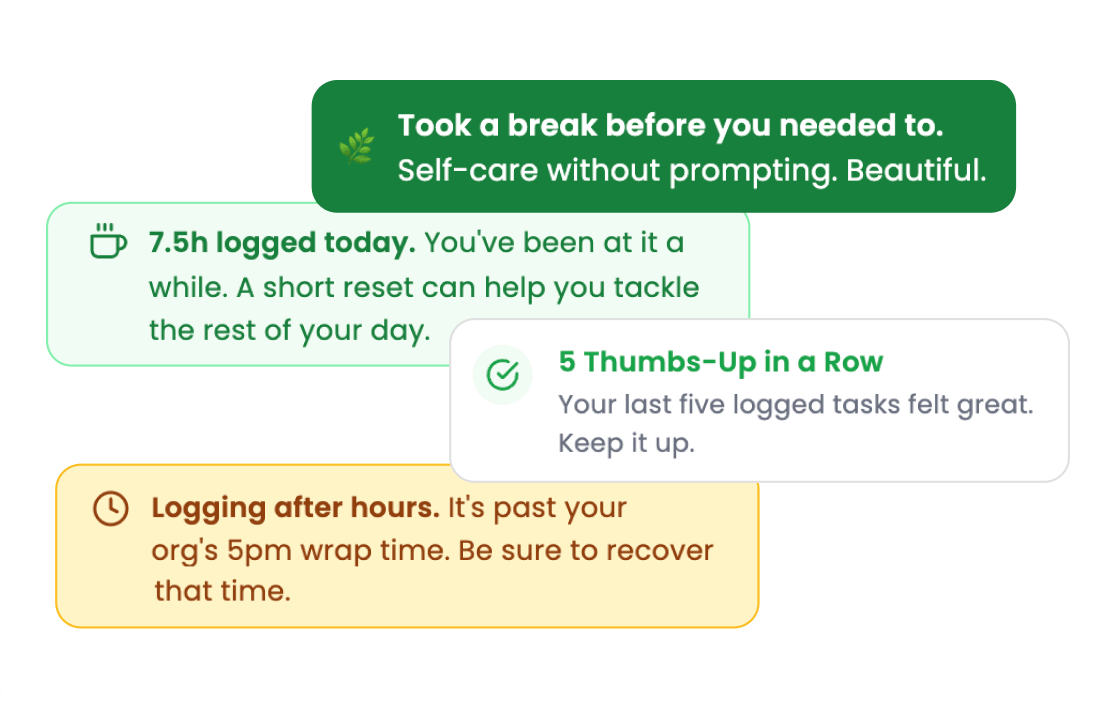
    Well-being insights, helpful suggestions, and a notification system designed to help managers know when to step in and act.

    A gentle in-app Time Being nudge suggesting a short break, with a take-five action button.
  • Thoughtful and Inclusive

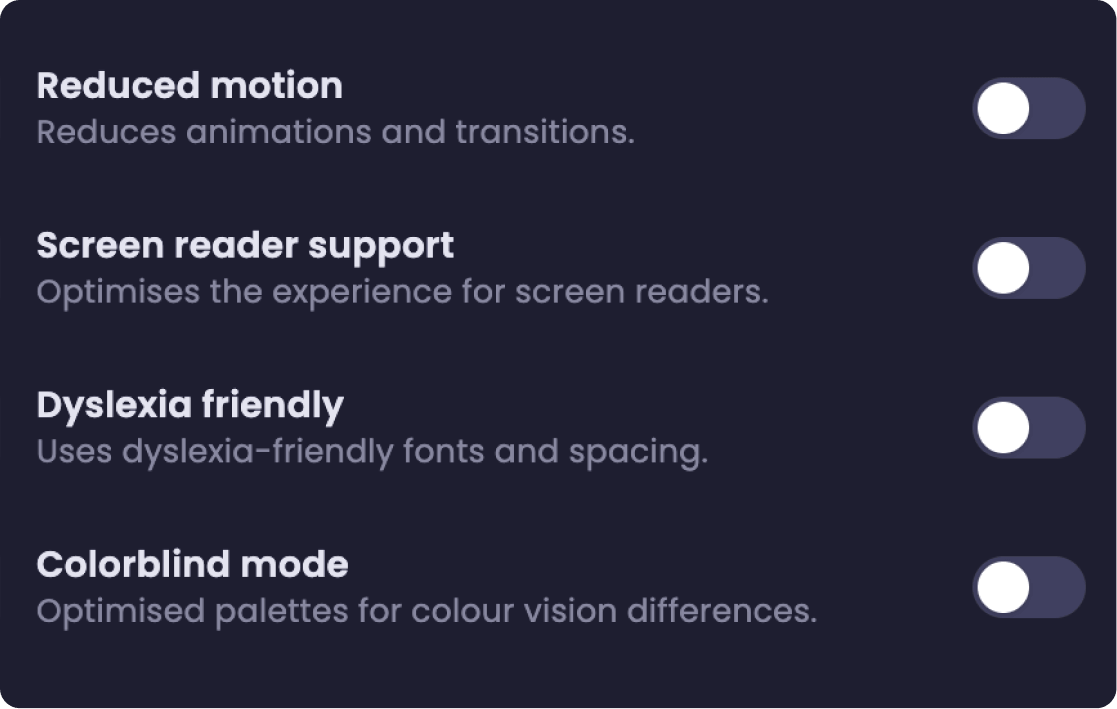
    Choose from 7 Comfort Modes like Dark Mode or Circadian Mode—or add on up to 5 accessibility enhancements.

    Time Being's accessibility and comfort settings panel: typography, contrast, and motion-reduction toggles.
Why Time Being?

From up here, it’s pretty obvious.

Unlike other tools, Time Being reveals how work impacts well-being and helps managers spot burnout before it begins—all within a singular time management platform. Try it today!

Feature Time Being Toggl Track Harvest WORKAMAJG
Time Tracking
Voice and AI-powered time entry
Always-present floating timer Extension Sidebar Time page
Mid-session time splitting
One-click search-to-entry
Weekly timesheet & manager approvals
Well-Being
WellScore™ composite well-being scoring
BurnTrack™ burnout detection
Well-Being Mode
Daily mood check-ins
Overtime & overwork risk alerts Team alerts on Standard+
Robust per-user accessibility & comfort settings
Management & Reporting
Full organizational reporting suite No well-being No well-being No well-being
Data Dashboard + CSV / Excel / PDF export
AI-powered, admin-only organization insights
Project & client tracking
Invoicing / billing
Try Pro for free

No credit card required

Pricing

Simple plans. Start today for free.

Free

$0 forever, for solo
  • Solo workspace, just you
  • Unlimited projects & tasks
  • All individual well-being features
  • Ever-present floating timer
  • Mid-session time splitting
  • One-click search-to-entry
  • Daily/weekly timesheet entry

Standard

$8$6.80 / user / mo

Everything in Free, plus:

  • Unlimited team members & projects
  • All team well-being features
  • Basic reporting
  • Timesheet submission workflow

Pro

$14$11.90 / user / mo

Everything in Standard, plus:

  • Voice & AI-powered time entry
  • AI organizational insights chat
  • Custom branding (logo & colors)
  • Data dashboard + organizational reporting suite

Enterprise

Contact Sales

Everything in Pro, plus:

  • Invoicing & billing
  • Custom subdomain
  • SSO (Single Sign-On)
  • Multiple integrations
Try Pro for free

No credit card required

FAQ

Questions, answered.

Time Being was built for humans who want a better way to manage time.

Most time tracking software includes hours tracking, projects, clients, approvals, utilization, and reporting. Time Being doesn't stop there. It actually does something with the data. It gives insights that allow employees and managers to understand how those hours affect the people behind the work.

That means teams can track time for billing, staffing, forecasting, payroll, and operations while also seeing early patterns of overwork, missed breaks, weekend work, rising stress, and burnout risk.

Time Being was built for companies that still need accurate time data, but do not want time tracking to feel cold, punitive, or disconnected from employee well-being.

Time Being was built for large organizations, small teams, agencies, and solo freelancers who need a better way to manage time.

For freelancers, Time Being makes it easier to track projects, tasks, and work patterns without turning time entry into another stressful chore.

For small teams and agencies, it supports client work, project time, approvals, reporting, utilization, and manager visibility.

For larger organizations, Time Being helps leadership understand workload, team health, staffing pressure, and burnout risk across departments without relying on disconnected surveys or separate well-being tools.

Traditional time trackers are built to answer one main question: how many hours were worked?

Time Being answers that question, but it also asks a more human one: what are those hours doing to the people working them?

With Time Being, teams can still track clients, projects, tasks, approvals, utilization, and reporting. The difference is that the same system also includes BurnTrack™, WellScore, Smart Nudges, Well-Being Mode, comfort settings, accessibility enhancements, and natural-language reporting.

That means time data becomes more useful for everyone. Employees can better understand their own patterns. Managers can spot overwork earlier. Leaders can see where workload, utilization, and well-being may be drifting out of balance.

Time Being is not just a timer or a timesheet. It is time management software designed to connect productivity and well-being in one system.

BurnTrack™ looks for patterns that may suggest overwork or burnout risk.

Those patterns may include sustained overtime, repeated late nights, missed breaks, heavy workload, or other signals that suggest work may be taking a toll.

A single busy day does not automatically mean someone is burning out. Time Being is designed to look at patterns over time, because context matters.

For example, a 42-hour week may be completely healthy for one person. A 42-hour week after several late nights, no real breaks, and rising stress may tell a different story.

BurnTrack helps make those patterns visible sooner, so employees can understand their own work rhythm and managers can check in before the problem gets worse.

Smart Nudges are helpful prompts that encourage healthier work habits and earlier manager action.

For employees, a nudge might suggest taking a break, checking in on mood, stepping into Well-Being Mode, or paying attention to a pattern of late nights or long stretches without recovery.

For managers, a nudge might flag when someone appears to be trending toward overwork, when a team has repeated overtime, or when workload patterns suggest it may be time to check in.

Smart Nudges are not meant to shame people or interrupt work for no reason. They are designed to be a gentle reminder to take care of the person behind the work.

Well-Being Mode is a built-in space to pause, breathe, and reset during the workday.

Instead of treating breaks as time someone has to explain or hide, Time Being makes recovery part of the workflow. Well-Being Mode gives users a calmer screen, a short reset experience, and a way to step away without guilt.

It is especially useful when someone has been working for a long stretch, moving through stressful tasks, or ignoring their own need for a break.

Time Being treats recovery as part of sustainable work, not a sign that someone is less productive.

TimeSplit™ lets users switch between tasks without stopping their timer.

Real work rarely happens in one perfect block. People move between client requests, internal tasks, meetings, interruptions, and follow-ups throughout the day. Traditional timers often force users to stop, restart, edit, or reconstruct the day later.

TimeSplit makes task switching easier by helping users divide time as work changes. That leads to cleaner time data and less end-of-day guessing.

Time Being offers a 14-day Pro trial with no credit card required.

During the trial, users can explore advanced features such as AI-assisted time entry, BurnTrack, WellScore, team tools, reporting, and well-being features.

When the trial ends, users have the option of switching to our Free plan or upgrading to a paid plan. Because we don't take your credit card up front, you'll never see a surprise charge at the end of your trial.

Make your workplace better,
one timesheet at a time.

Better tools make better teams. Share this upward
and maybe it will spread some well-being outward.

Goodbye, dusty old friend. You worked, for the time being.
00:00
Time Splits

What are you tracking?
— Select Project —
— Select Task —